 StowJar
Save it now.
Read it later.
StowJar is a calm, private reading list. Stow articles, videos and posts from anywhere, then read them offline without ads, listen on the go, and highlight what matters. Everything syncs through your own iCloud.
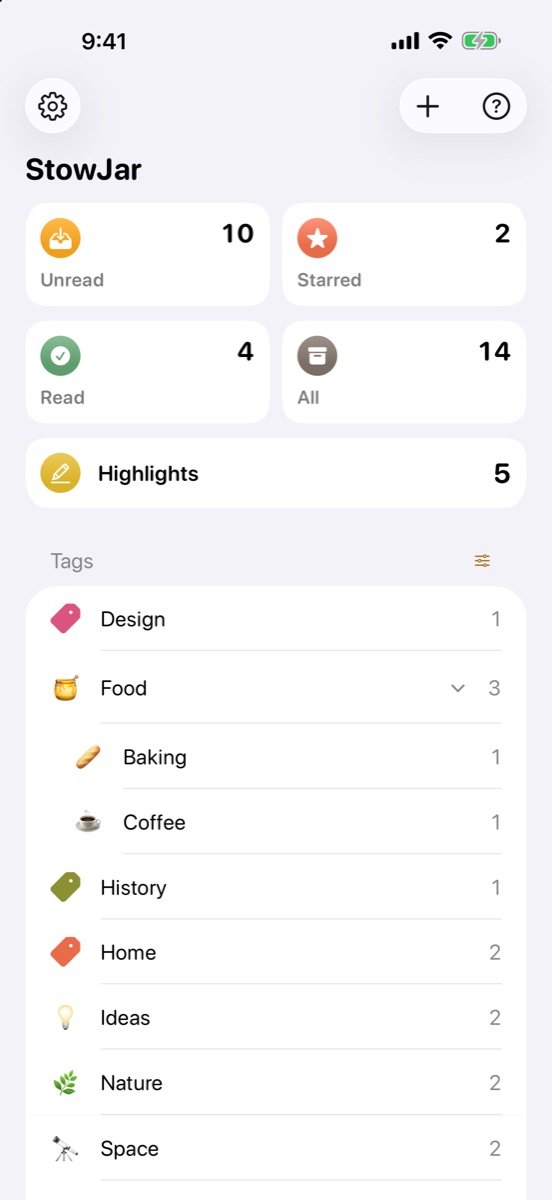
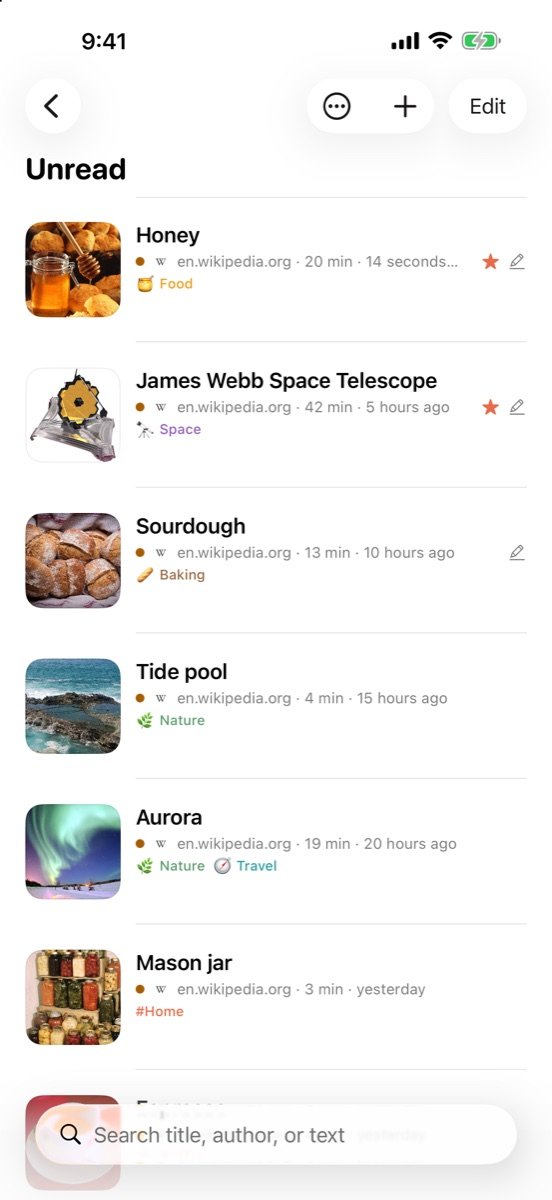
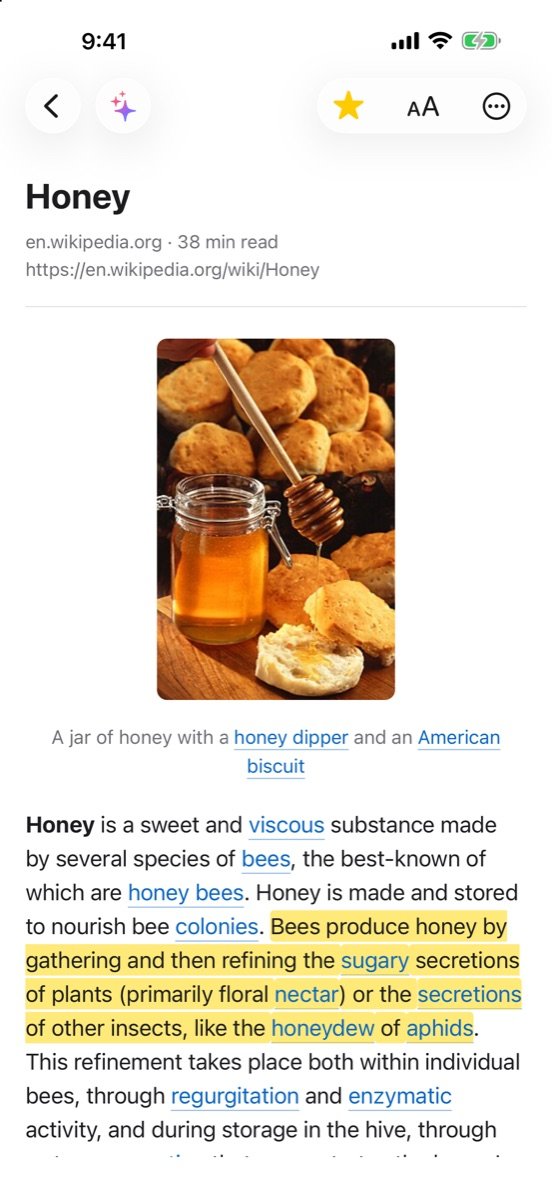
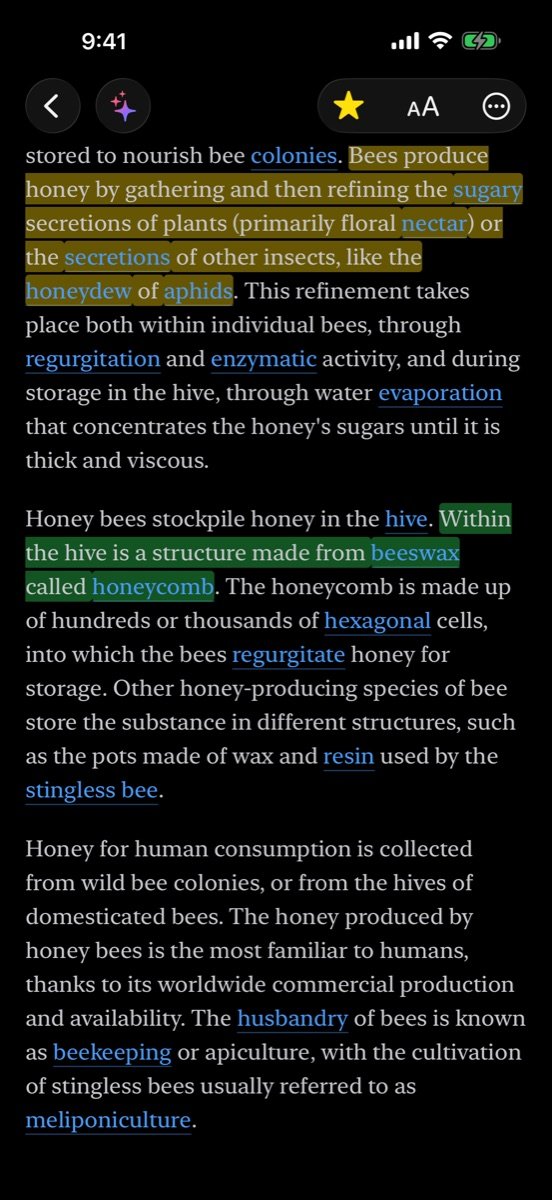
Just the article. In your font, your theme, your pace.
StowJar pulls out the text and pictures and leaves the ads, pop-ups and clutter behind. Articles are saved on your devices, so they read the same on a plane.
A reader that gets out of the way
- Light, Sepia, Dark and Night themesSwitch automatically with your system, or by screen brightness.
- Choose the font, size, spacing and margins
- Your place in every article is remembered and synced
- Swipe to the next article in the list
- Read paywalled sites you subscribe toLog in once in StowJar's browser and your saves come through in full.
- PDFs read like articles, with the original a tap away New
Save from anywhere, in one tap
- The share sheet in any app, with tags, star and read status
- A Safari button on iPhone, iPad and Mac New
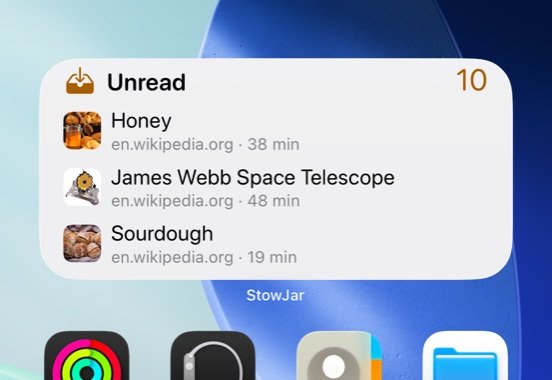
- Home Screen, Lock Screen and Control Center widgets NewSee what's waiting, or let “Read Something” pick for you.
- A menu bar icon on the Mac, Siri, Shortcuts and a URL scheme
- Videos and posts become proper cardsTitle, author, caption and picture, a player that never autoplays, and one tap to open the post in its own app.
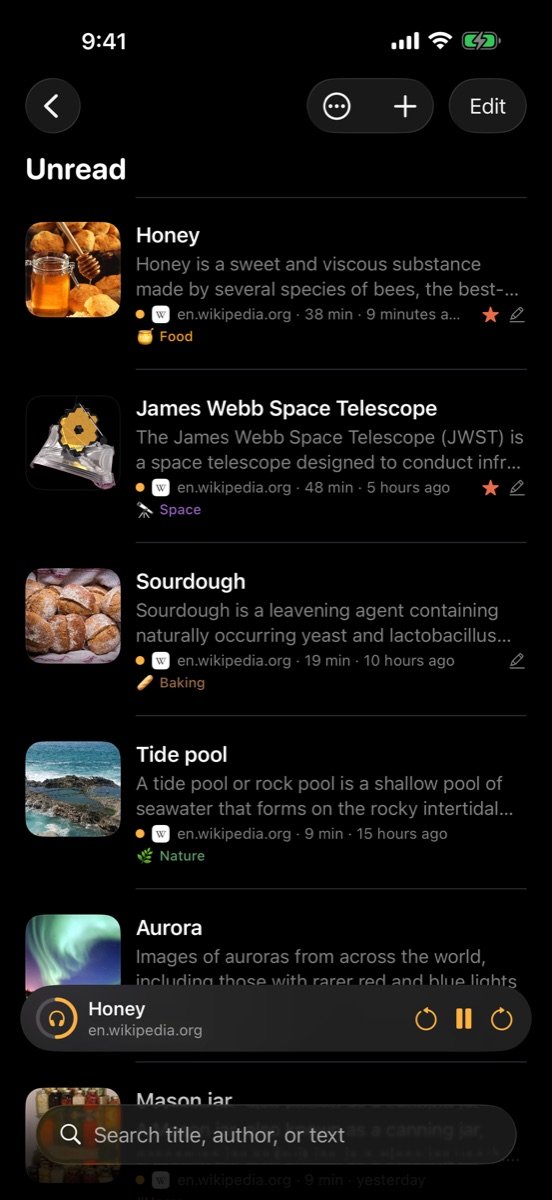
Turn your reading list into listening
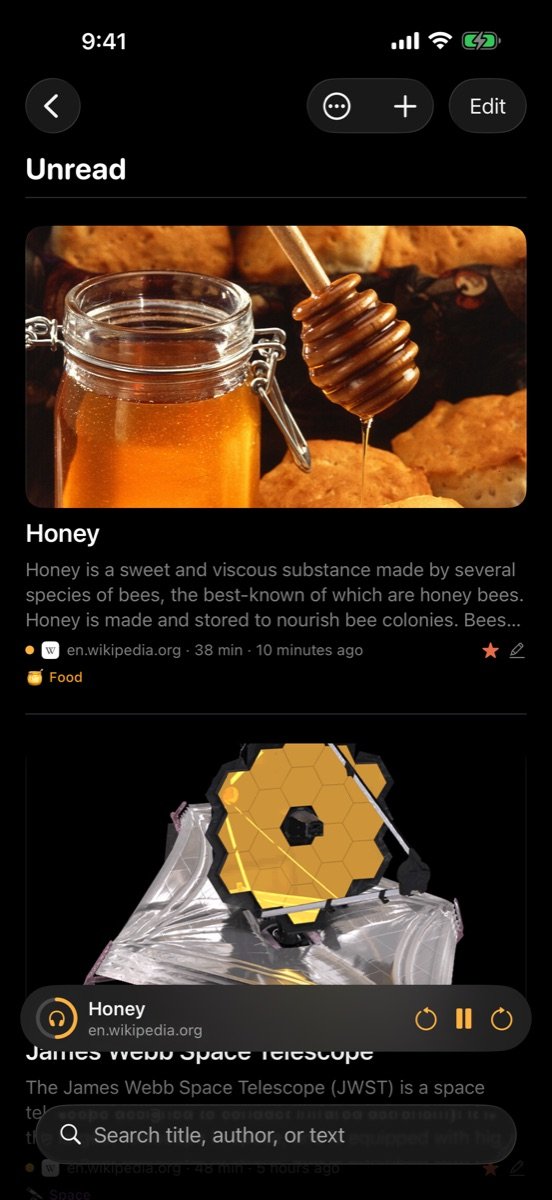
Tap Listen on any article and StowJar reads it aloud, even with your phone locked. Queue up the next few for a commute or a walk.
- Up Next queue that moves on by itself
- Speeds from 0.8× to 2×
- A natural, human-sounding voiceRuns on your device, works offline, and it's free. Twelve voices, American and British.
- Or Apple's voices, including your own Personal Voice
- Controls on your Lock Screen, AirPods and Apple WatchPlay, pause, or skip back or ahead a paragraph from your wrist with the watch's Now Playing screen.
Hear the natural voices
All twelve run on your device. Tap one to hear it.
- HeartAmerican · Female
- BellaAmerican · Female
- NicoleAmerican · Female
- SarahAmerican · Female
- KoreAmerican · Female
- MichaelAmerican · Male
- FenrirAmerican · Male
- PuckAmerican · Male
- EmmaBritish · Female
- IsabellaBritish · Female
- GeorgeBritish · Male
- FableBritish · Male
Keep the lines worth keeping
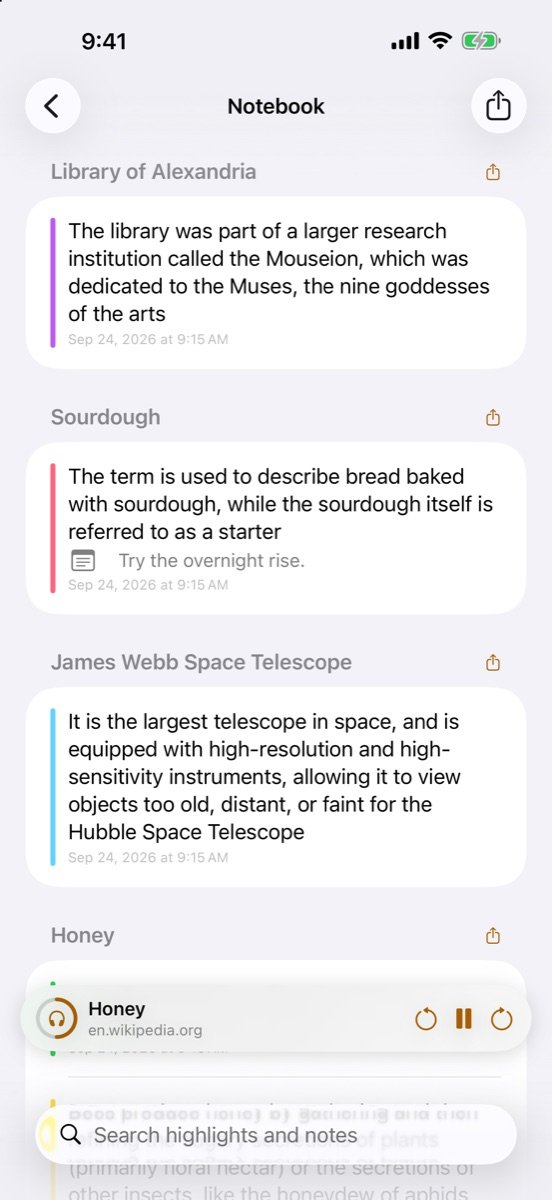
Highlight or underline in six colors and add a note. The Notebook gathers every highlight from every article, searchable and ready to share.
- Share any highlight as a beautiful quote image New
- Export to Markdown, or send to Readwise, Notion and Obsidian
- Send articles to Kindle and Apple Books as an ebook New



A Notebook for everything you marked
- Every highlight, grouped by article, with your notes
- Tap one to jump back to that spot in the article
- Summaries and your own AI actions, on your device “Explain like I'm new to this”, “Translate to Spanish”, “Pull out the steps” — with Apple Intelligence, nothing leaves your device.
A tidy jar, without the tidying
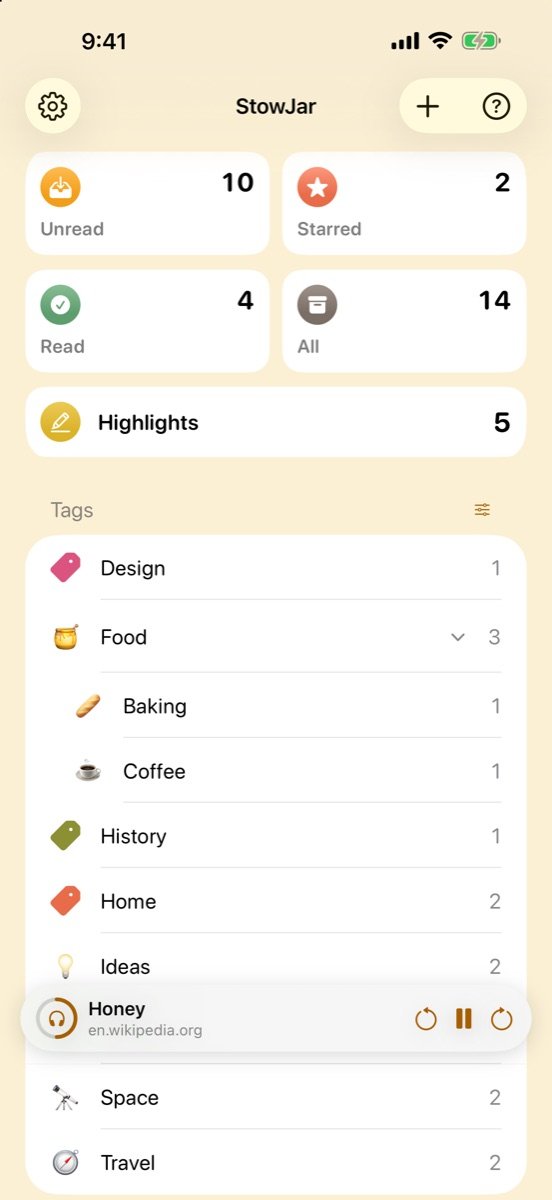
Tags that nest, colors and emoji you'll recognize at a glance, and rules that file new links for you.
- Nested tags with colors and emoji NewDrag tags to nest them up to three levels deep.
- Auto-tag rules New“Anything from youtube.com goes in Video.” “Under 3 minutes is a Quick Read.”
- Tag suggestions from Apple Intelligence, on your device
- Full-text search, saved to the sidebar
- Regular, Compact and Magazine layouts
- Pick a background color for your lists New
- Clean Up Library finds duplicates and dead links New
- Recently Deleted keeps deleted links for 30 days New
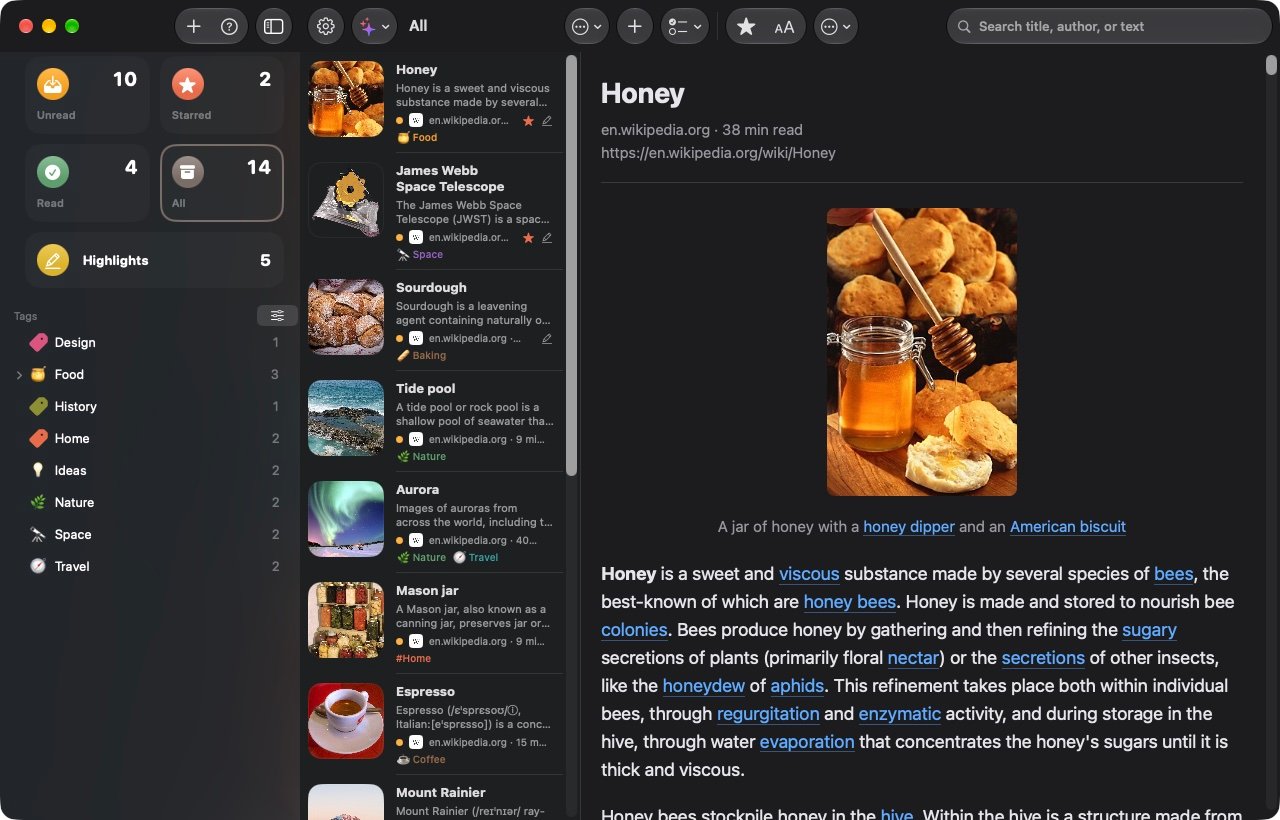
At home on the Mac
A real Mac app: three columns, a full menu bar, keyboard shortcuts for everything, drag and drop, a Safari button, a menu bar icon, and text size you can set separately for the sidebar, the list and the article.
Your reading is nobody's business
There's no StowJar account and no tracking. Articles come straight from the websites you saved and live on your devices. Nothing leaves them unless you share it or turn on an export you chose.
No account
Sync uses the iCloud account already on your devices.
No tracking
No analytics, no ads, no data sold. StowJar doesn't phone home.
AI on your device
Summaries, AI actions and tag suggestions run with Apple Intelligence on your device.
Buy once
One purchase for iPhone, iPad and Mac. No subscription.
Everything in StowJar
All of it is included in one purchase, on every device you use.
Save
- Share sheet with tags, star and read status
- Safari extension on iPhone, iPad and Mac
- Mac menu bar icon and drag and drop
- Copied links offered when you open the app
- Siri, Shortcuts and a stowjar:// URL scheme
- Control Center “Save to StowJar” button
Videos, posts & files
- YouTube with an embedded player that doesn't autoplay
- Instagram, TikTok, Facebook and Reddit cards
- Open in the platform's app, right where you left off
- PDFs from the web or your files, with searchable text
- Podcast episodes with on-device transcripts
Read
- Clean article view without ads
- Light, Sepia, Dark and Night themes
- Fonts, size, spacing and margins
- Reading position synced
- Swipe between articles
- Log in to paywalled sites you subscribe to
- Page snapshots that survive when a site disappears
Listen
- Human-sounding natural voice, on device
- Apple voices and Personal Voice
- Up Next queue, 0.8× to 2×
- Keeps playing with the screen locked
- Controls on Apple Watch and AirPods
- Sleep timer, and highlight what you're hearing
Highlight
- Six colors, underline and notes
- Notebook of every highlight
- Quote images in four styles
- Markdown export with your own template
- Readwise, Notion, Obsidian and CSV
Organize
- Nested tags, drag to nest
- Tag colors and emoji
- Auto-tag rules
- Full-text search and saved searches
- Bulk select: tag, star, read, export, delete
- Regular, Compact and Magazine rows
- Background colors
- Focus filters
AI, on your device
- One-tap summaries
- Your own AI actions
- Ask about an article, or your whole library
- Tag suggestions
- Needs Apple Intelligence.
Stay on top of it
- “Remind me to read this” notifications
- Unread, Read Something and Rediscover widgets
- Reading stats and streaks
- Spotlight search of your saves
- Duplicate and dead-link finder
- Recently Deleted for 30 days
Sync & offline
- iCloud sync, no account
- Offline articles, verify and rebuild
- Downloads continue in the background
Move in, move out
- Import from GoodLinks, Instapaper, Raindrop, Pocket, Readwise and browser bookmarks
- Export everything as JSON
- Articles as Markdown, PDF or EPUB for Kindle and Books
Mac
- Three columns and a full menu bar
- Keyboard shortcuts for everything
- Separate text size for sidebar, list and article
Good to know
When can I get it?
StowJar is in final testing and heading to the App Store. Leave your email in the form below and we'll tell you the day it's out.
Which devices?
iPhone and iPad with iOS 26 or later, and Mac with macOS 26 or later. One purchase covers all of them.
Is there a subscription?
No. You buy StowJar once. There's no account to create and nothing to renew.
Can I bring my list from another app?
Yes. Import exports from GoodLinks, Instapaper, Raindrop, Pocket, Readwise or your browser's bookmarks in Settings › Import. Tags, read status, stars and dates come along.
Does it work with Apple Watch?
Yes, for listening. While StowJar reads an article on your iPhone, your watch's Now Playing screen shows it, with play, pause and skip. StowJar doesn't need its own watch app for this.
Does it work offline?
Yes. Articles and their pictures are saved on your device, and Listen works offline too, including the natural voice once it's downloaded.
Do the AI features cost extra?
No. They use Apple Intelligence on your device, so there's nothing to pay and nothing is sent anywhere. They need a device that supports Apple Intelligence.
Where is my data stored?
On your devices and in your own iCloud account. We never see it. Read the privacy policy.
How do I…?
The Help Center has step-by-step guides for everything in StowJar, on iPhone, iPad and Mac, with a search box. The same guides are in the app under Settings › Help.
Something isn't working
Check the troubleshooting guides, or tell us in the form below or email support@stowjar.com. Include the link that gave you trouble if you can.
Talk to a person
Questions, bugs, ideas, press or partnerships. We read everything and usually reply within a day or two.
Support
Help with StowJar, bug reports and feature ideas.
support@stowjar.comSales & partnerships
Press, business and education licensing, and partnerships.
sales@stowjar.comNewsletter
New features and reading tips, a few times a year. No spam, and you can unsubscribe from any email.